
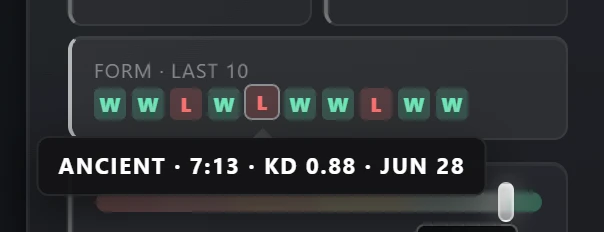
The Pulse panel has long shown a player's latest results as a strip of W and L squares. Since version 4.2.8 each square opens: click one and the whole scoreboard of that match appears on top of the Steam profile, without leaving the page or signing in anywhere. This guide covers where to click, what every column and icon means, and what a single scoreboard can and cannot tell you about the player you are looking at.
Where to click
Open any Steam profile with Pulse installed. In the Leetify section of the panel, the Form · last 10 tile lists the latest matches, newest on the left, with Premier, Competitive and FACEIT matches mixed in the order they were played. Hover a square for the map, the score, the K/D and the date, then click it. On profiles where Leetify has no matches to show, the FACEIT section keeps its own Recent tile with the last five FACEIT matches, and those open the same way.
What the scoreboard shows
The header has the map, the mode, the date, the result and the score. Below it are the two teams, five players each, sorted by in-game score, with the profile owner's row highlighted. Every row has:
- K, D, A: kills, deaths and assists.
- ADR: average damage per round. FACEIT does not always report it, and when it is missing the column is left out for both teams.
- HS%: the share of kills that were headshots.
- MVP: round MVP stars.
- Rating: Leetify's rating for that match, positive when the player did better than expected and negative when worse. A FACEIT match shows K/R, kills per round, in this column instead.
Small marks follow a name: 4K or ACE for a four or five kill round, the Pulse badges from the nickname row (verified pro, supporter heart, server booster and the rest), and in a FACEIT match the player's level. Click a name to open that player's Steam profile, where the panel is waiting with their own numbers.
Click any column header to sort both teams by it, and click it again to flip the order. The arrows beside the scoreboard, or the ← and → keys, move to the neighbouring match on the strip, and Esc closes it. The footer says where the data came from and links to the same match on Leetify or FACEIT.
Premier ratings and who queued together
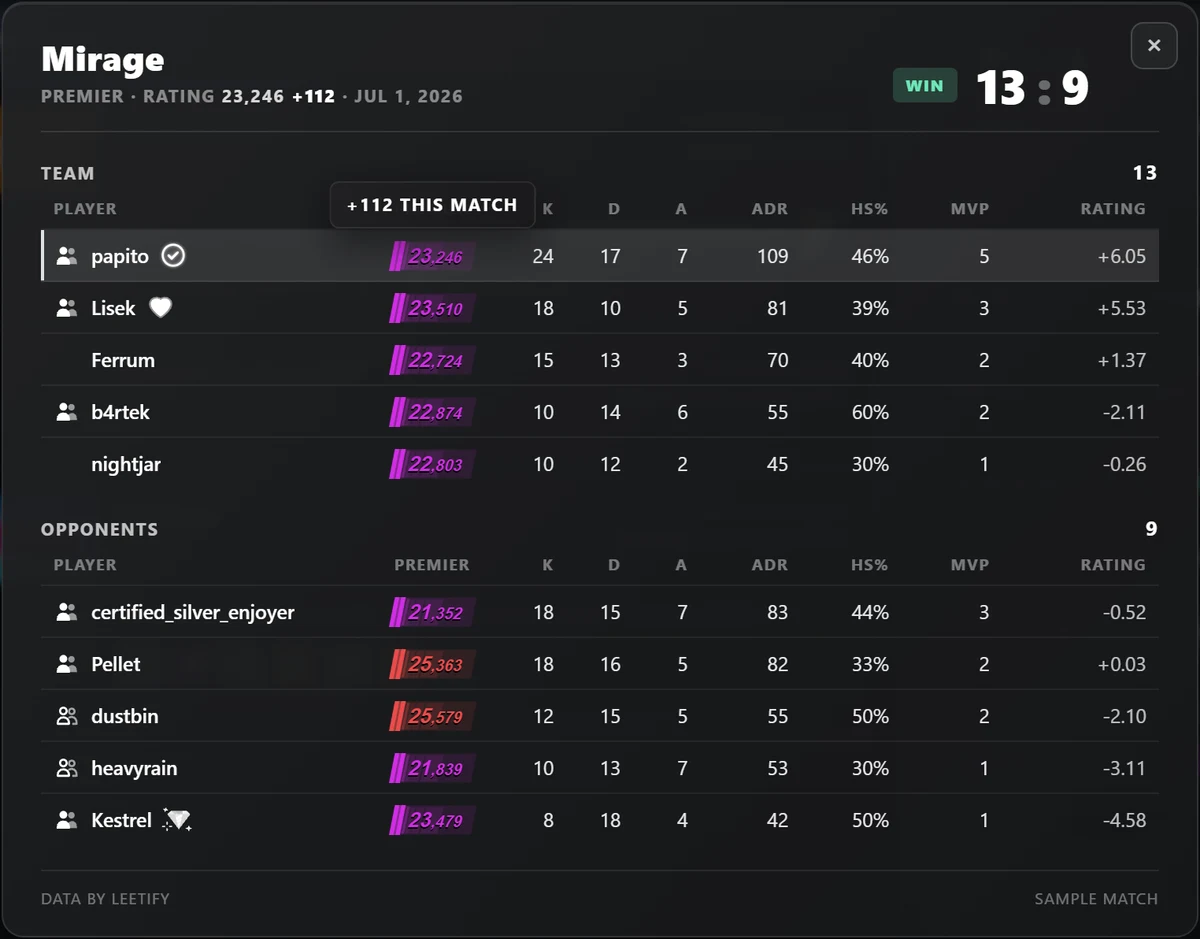
In a Premier match every player gets a rating plate in the colours the game uses, showing their rating after that match. Hover a plate to see how much the match added or took away. The header does the same for the profile owner, so one glance tells you whether it was a +112 or a −109 game. What the colours mean is explained in what is a good Premier rating.
A party icon in front of a name means that player entered the match in a party, and everyone with the same icon queued together. When one team has two parties, a three-stack and a two-stack, the second one gets the outlined icon. Players without an icon queued alone. FACEIT matches show parties too, taken from FACEIT's own match room.
FACEIT matches: level and ELO from that day
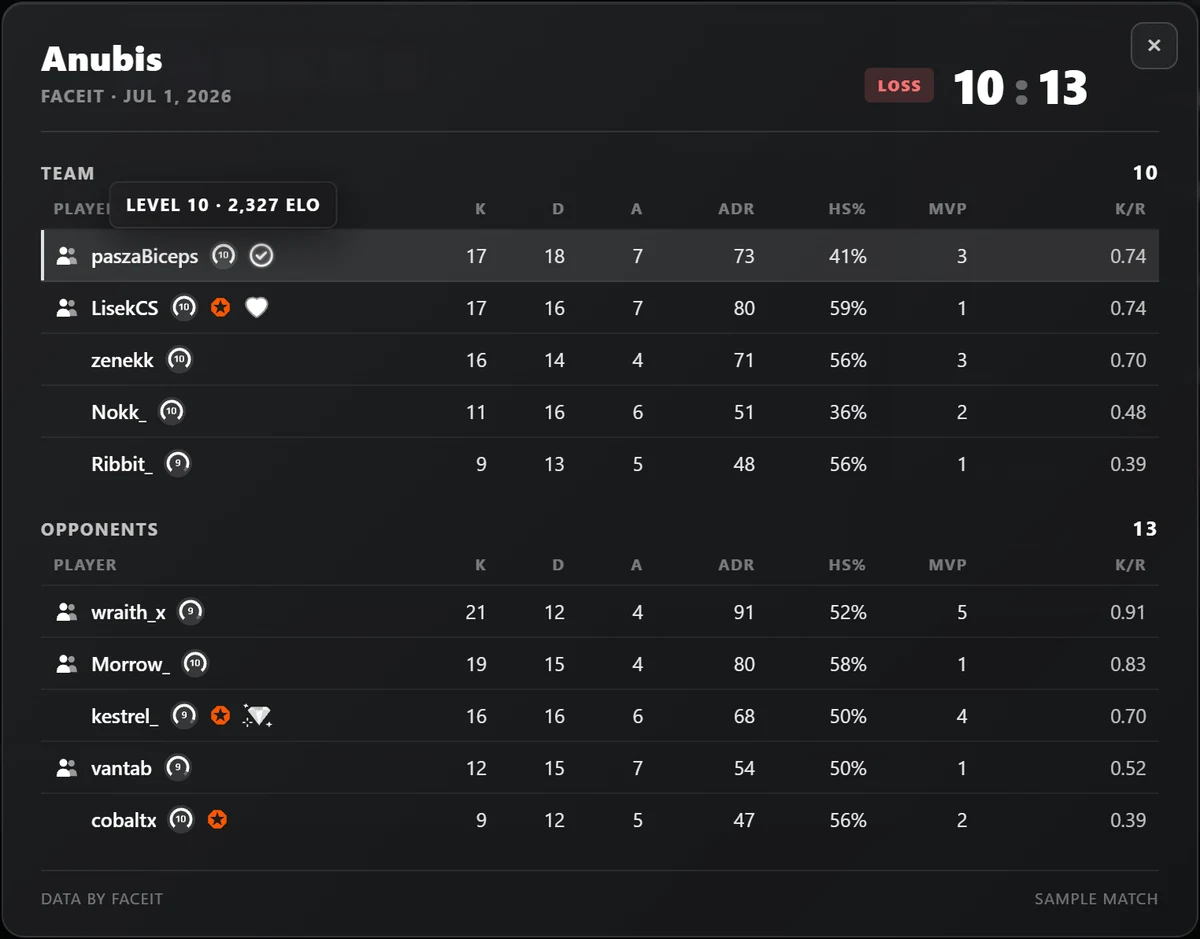
A FACEIT match shows the level each player had when it was played, and hovering the level shows their ELO from that day. That is more useful than it sounds: an account that has climbed or dropped since then says little about the lobby you were actually in. FACEIT's own Premium and Plus badges appear in orange. FACEIT scoreboards work for anyone who plays FACEIT, with or without a Leetify account.
What a scoreboard can tell you, and what it cannot
Most people open a scoreboard because a game felt wrong. A few things are worth knowing before you read one:
- A rating far below the lobby, on top of the scoreboard, is the classic smurf picture, but it is also what a returning player looks like. The panel's peak rating usually settles it: an account that has never been anywhere near the lobby it just won is the suspicious one.
- Parties explain a lot. A player well below their teammates' ratings who queued with them is in that lobby because of the party, not because of their own rating.
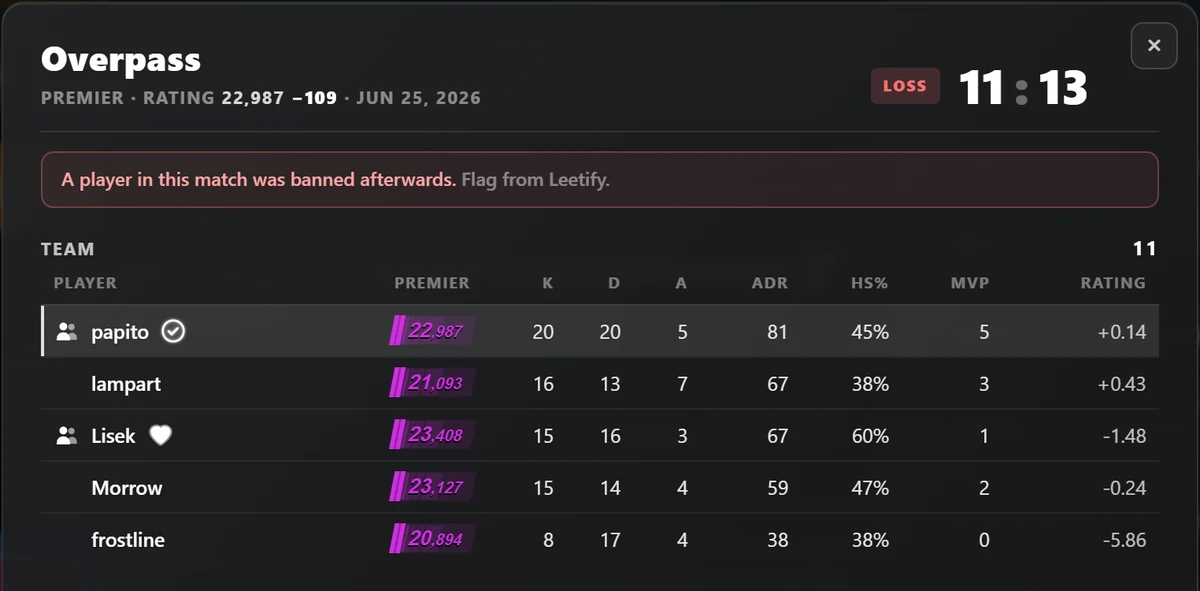
- The ban flag is a red line under the header when Leetify knows that a player from that match was banned afterwards. It covers the whole match: it says that someone was banned, not who. The flag can also appear days after the game, which is why Pulse refreshes matches younger than 30 days every six hours and keeps only older ones for a year.
And one match is one match. A thirty-kill game with 60% headshots happens to honest players every week. Read a scoreboard next to the player's numbers over many matches, which is what the panel and its trust check are for, and leave the accusing to Valve.
Why some matches do not open
A square opens only when Pulse has the id of that match, and the id comes from the same place as the numbers:
- Premier and Competitive matches come from Leetify, which publishes match ids only for players with a public Leetify profile. For everyone else it still publishes the results, so the strip shows the W and L, but without the id the squares stay plain. Pulse does not try to get around that.
- FACEIT matches come from FACEIT, which publishes them for every player, so recent FACEIT matches always open.
If it is your own profile and you want your matches to open, sign up on Leetify and keep the profile public. From then on Leetify records your matches and they open in Pulse like any other. More on what Pulse shows without an account in CS2 stats without a Leetify account.
Where the data comes from
The first time you open a match, your browser asks the Pulse proxy for it by its public match id. The proxy fetches that one match from Leetify or FACEIT and trims it to what the scoreboard draws. A finished match does not change, so the answer is kept, and opening the same match again usually needs no new request at all. There is no account and no login, and nothing about you is sent along: the privacy policy lists exactly what the proxy receives. For everything else that changed in 4.2.8, see what is new.