
Install the extension, open any Steam profile, and a panel appears under the profile header with a Leetify section at the top. Nothing is asked of you first: no account, no login, no API key. The data belongs to Leetify and the section header links straight to that player's full Leetify profile, so the deeper analysis is always one click away. What changes is only where the first look happens.
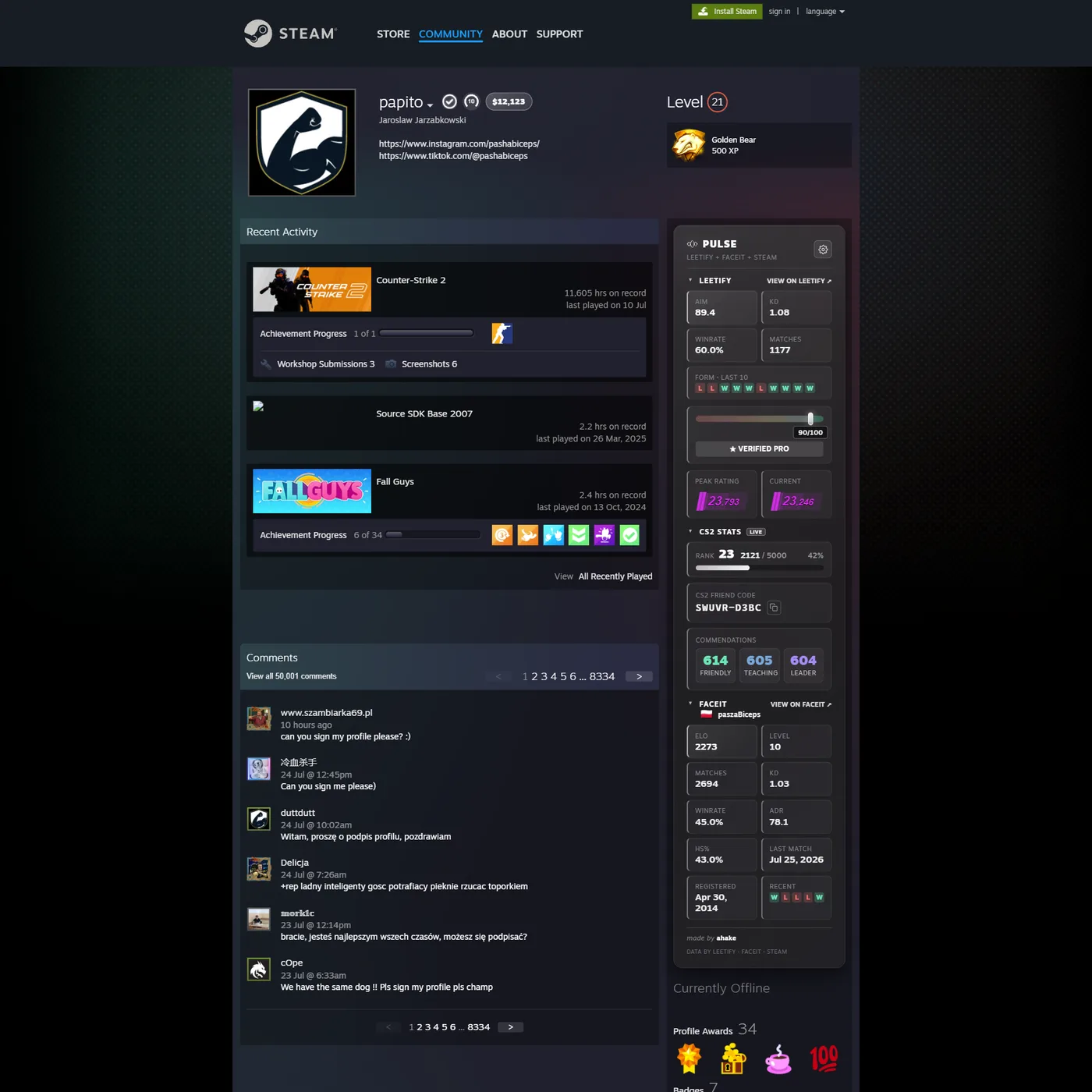
What the Leetify section shows
Aim rating, K/D, winrate and the number of matches analysed, plus a strip of recent results. Hovering a result opens the detail for that single match. It is the summary you would want before accepting a friend request or queueing with someone, and it sits on the page you were already on.
Two more tiles, reaction time and pre-aim, exist as well. They are off by default and you switch them on in the Pulse options page if you want them.
Do they need a Leetify account?
No. Leetify builds a picture of a player from the matches it has already parsed, and a player turns up in those matches whether or not they ever signed up. So the section fills in for most people you look up, not only for Leetify users.
When it is empty, that means Leetify has no parsed matches for that account. The panel says so rather than filling the tiles with zeroes or estimating anything, and an empty section tells you about the coverage, not about how well the person plays.
How to open someone's Leetify profile from Steam
Leetify profile URLs are keyed on the SteamID64, so the shortcut is
leetify.com/app/profile/<steamID64>. The awkward part is getting the ID:
a Steam vanity URL like /id/somebody does not contain it, so you would normally
need a lookup tool first.
Pulse skips that. The panel resolves the ID itself and the View on Leetify link in the section header goes straight to the right profile, from any Steam URL, vanity or numeric. If you would rather compare it with Leetify's own extension, that is covered here.
What Pulse asks for in return
It is free, it has no account and no login, and it requests a single browser permission,
storage, which is what remembers your settings. Stats are fetched only when you
actually open a profile, never in the background. The
privacy policy covers the rest in detail.
Install it
Grab it for Chrome and other Chromium browsers or for Firefox, then open a Steam profile. There is no setup step after the install.