
Install Pulse, open the Steam profile you are curious about, and the estimated inventory value shows up next to the nickname. It works the same on your own profile and on someone else's, with one condition: their CS2 inventory has to be public. There is nothing to log into, no trade link to paste and no site to upload anything to.
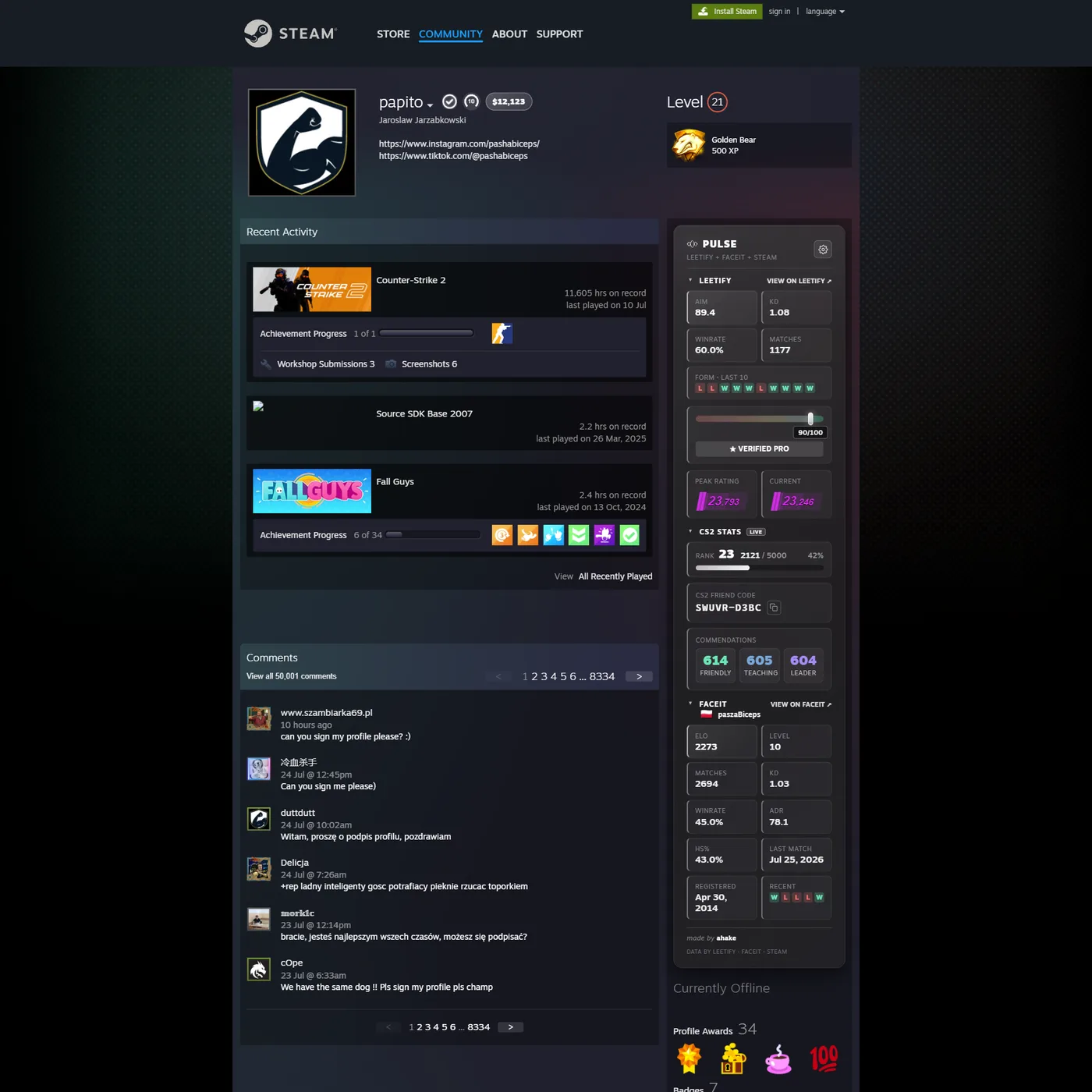
What the number actually means
It is an estimate: the items in the public CS2 inventory, added up at current market prices. It is not an offer, and it is not what a trader or a buyer would hand you for the same items. The prices come from a market feed that is refreshed on a schedule, so the same inventory can read differently a day later. Wear, pattern, stickers and float are not judged individually, and no valuation here is advice about what to do with your skins.
Checking someone else's inventory
Same steps, no extra setup: open their profile and read the pill. Two limits are worth knowing. The inventory has to be public, and if it is private no tool can see behind that setting, whatever it promises. Only CS2 items count toward the total, so items from other games and Steam wallet funds are not in the figure.
Why two sites give you two different numbers
This is the question people ask after checking their inventory twice. Both numbers can be right, because they answer different questions. An inventory does not have one value, it has one value per place you could sell it.
- Third-party markets are what Pulse reads. Prices come from Skinport, and for names Skinport does not list, from buff163 as a backup. Skinport always wins when both know an item, so the figure leans towards European third-party pricing.
- The Steam Community Market almost always shows a higher number, and it is the least useful one for deciding anything. Valve takes 15% of every sale, and what is left lands in your Steam wallet, where it can buy games and nothing else. It is not money you can move out.
- buff163 usually sits lower than Skinport on liquid items and can be higher on rare ones, because it is a different crowd of buyers in a different currency.
On top of that, the figure moves on its own. The price catalogue is refreshed every four hours, and each profile's total is cached for half an hour, so re-checking the same account a minute later gives the same number even if a listing changed. Nothing here accounts for the discount a real buyer will ask for, which on a whole inventory is rarely small.
What “unpriced” means
Next to the item count the panel says either all 68 or something like
42 / 68. The second form means 26 items had no market price to add, so
they counted as zero. Read the total as a floor, not a ceiling.
- Not marketable. Items that cannot be sold have no price, so they cannot have a value here. This covers most graffiti and a lot of what comes out of a pass.
- Too new. An item from a case released this week may not be in the catalogue yet. It appears once the market has enough listings to quote.
- Nobody selling. A price needs a listing. An item with none is unpriceable rather than worthless, and this is where the gap between the panel and reality is widest.
One case is worth naming because it looks like a bug. Doppler knives share a single market name across phases, so Ruby and Phase 4 are the same string with wildly different prices. Pulse tells them apart by the item's icon rather than its name, which is why two knives that read identically in Steam can show different prices in the panel.
What gets sent to price it
This is the one feature where Pulse sends more than an id. To price the items, your browser reads the profile's public CS2 inventory from Steam and sends the item names, together with the SteamID64, to our own Cloudflare Worker, which adds them up and returns the total. Nothing about you personally is sent: no account, no email, no browsing history. The privacy policy lists every request the extension makes.
Currency, and turning it off
Pick your currency in the options page. The conversion runs in your browser, so choosing a different one costs no extra request. If you would rather not see the pill at all, switch the badge off in the same place.
Common questions
Can I check a CS2 inventory value without installing anything? Not with Pulse. The figure is drawn into the Steam page by the extension, so it needs the extension installed. The exception is the Pulse supporter page, which previews a profile in the browser and shows the same value pill.
Why does a friend's CS2 inventory value show nothing? Almost always because their inventory privacy is set to private or friends-only. Steam refuses the request and no tool can read behind that setting. It can also be a temporary rate limit on Steam's side, in which case the value appears on a later visit.
Do trade lock, float or stickers change the CS2 inventory value? No. Items on trade hold are counted at their normal price, and float, pattern and stickers are not judged at all. A low-float or rare-pattern skin is worth more than the estimate, and applied stickers add nothing to the figure even when they are expensive.
Does the value include my whole Steam account? No, only CS2 items. Skins from other games, trading cards and Steam wallet funds are outside the figure.
Why do two sites show different CS2 inventory values? Because an inventory has one value per place you could sell it. Pulse reads third-party market prices from Skinport, with buff163 as a backup. The Steam Community Market shows a higher number, but Valve takes 15% of every sale and the rest stays locked in the Steam wallet. buff163 usually sits lower on liquid items.
What does unpriced mean in the Pulse inventory panel? Unpriced items had no market price to add, so they counted as zero and the total is a floor rather than a ceiling. The usual reasons are items that cannot be sold at all, items from a case too new to be quoted, and items with no current listings.
Pulse is free, needs no account and asks for a single permission,
storage. Get it for
Chrome and Chromium browsers
or for
Firefox.